Keystroke Overlay
Show the keys you press on screen - perfect for tutorials and shortcuts.
Screen recorder and video editor in one for Windows. Capture any screen, window or region at up to 120 FPS, then finish it with zoom, backgrounds, subtitles and AI voice-over
Every feature runs on your own machine,
so no footage ever leaves it.
Show the keys you press on screen - perfect for tutorials and shortcuts.
Polished, smoothed pointer motion with click ripples that guide the eye.
Drop your recording onto clean backgrounds and gradients for a designed look.
Studio Avatar works with 2 of the standard Female voices, and most Premium female voices,
More avatars are coming at a later time
*AI Avatar is a small neural model trained on audio and lip movements, It is made to work on most consumer hardware
On-device speech-to-text turns your narration into styled captions.
*Small neural model, with auto detection of language into captions
85 Neural Voices in 22 Languages
*Clone Your Own Voice by recording about 10 seconds once,
then narrate everything in your own voice.
Put any recording in a floating window with rounded corners, a soft shadow and a slide-in over a background, to give it a polished look.
Every setting is sorted into tabs, your favourite styles can be saved and reused, and you see the timing before you play it.
Strip fan hum, keyboard clatter, and room tone out of your audio.
Using Android Developer Mode on your phone you can Mirror and record your phone alongside your computer.
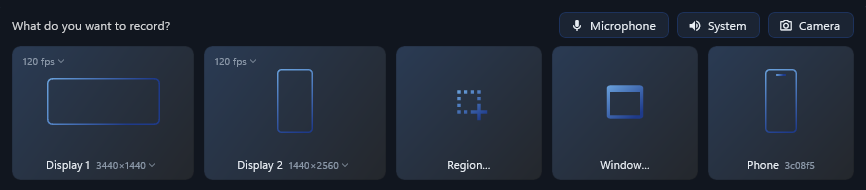
Record your whole screen, a single window, or any region you draw.
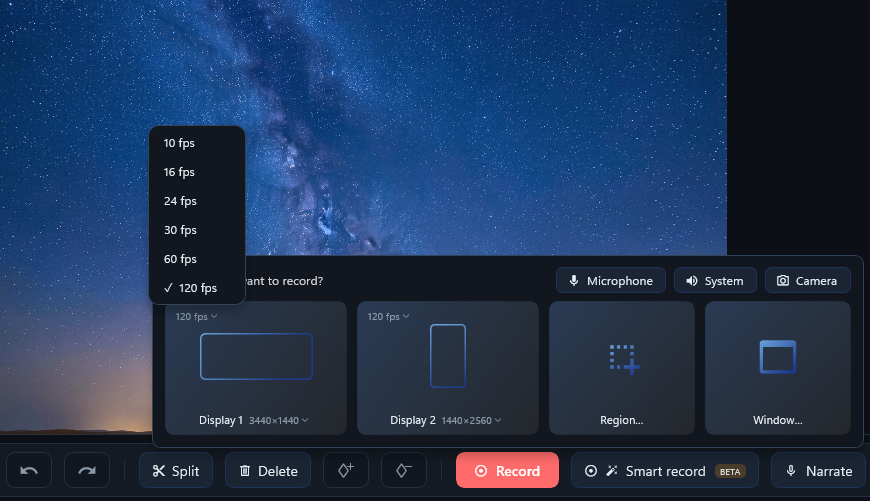
Buttery-smooth capture for fast motion and high-refresh displays.
*Depending on Hardware capability and disk write speed
60Hz monitor can do 60FPS
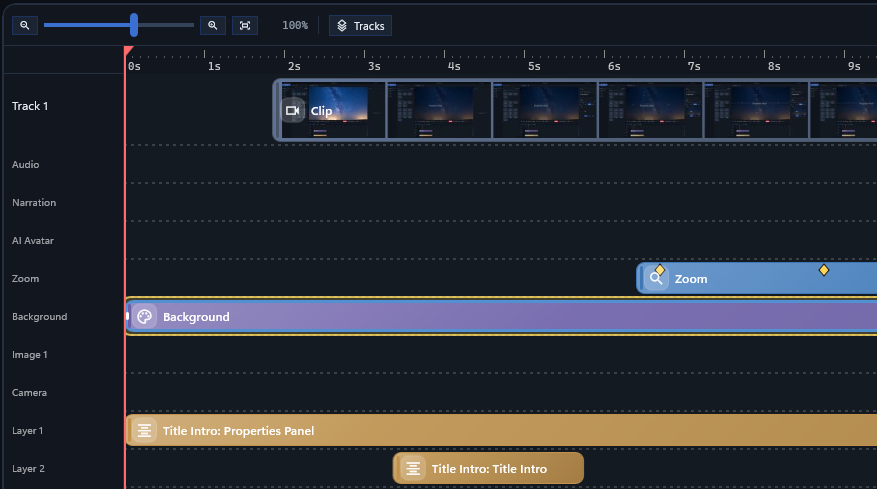
A real multi-track editor where every effect previews in real time.
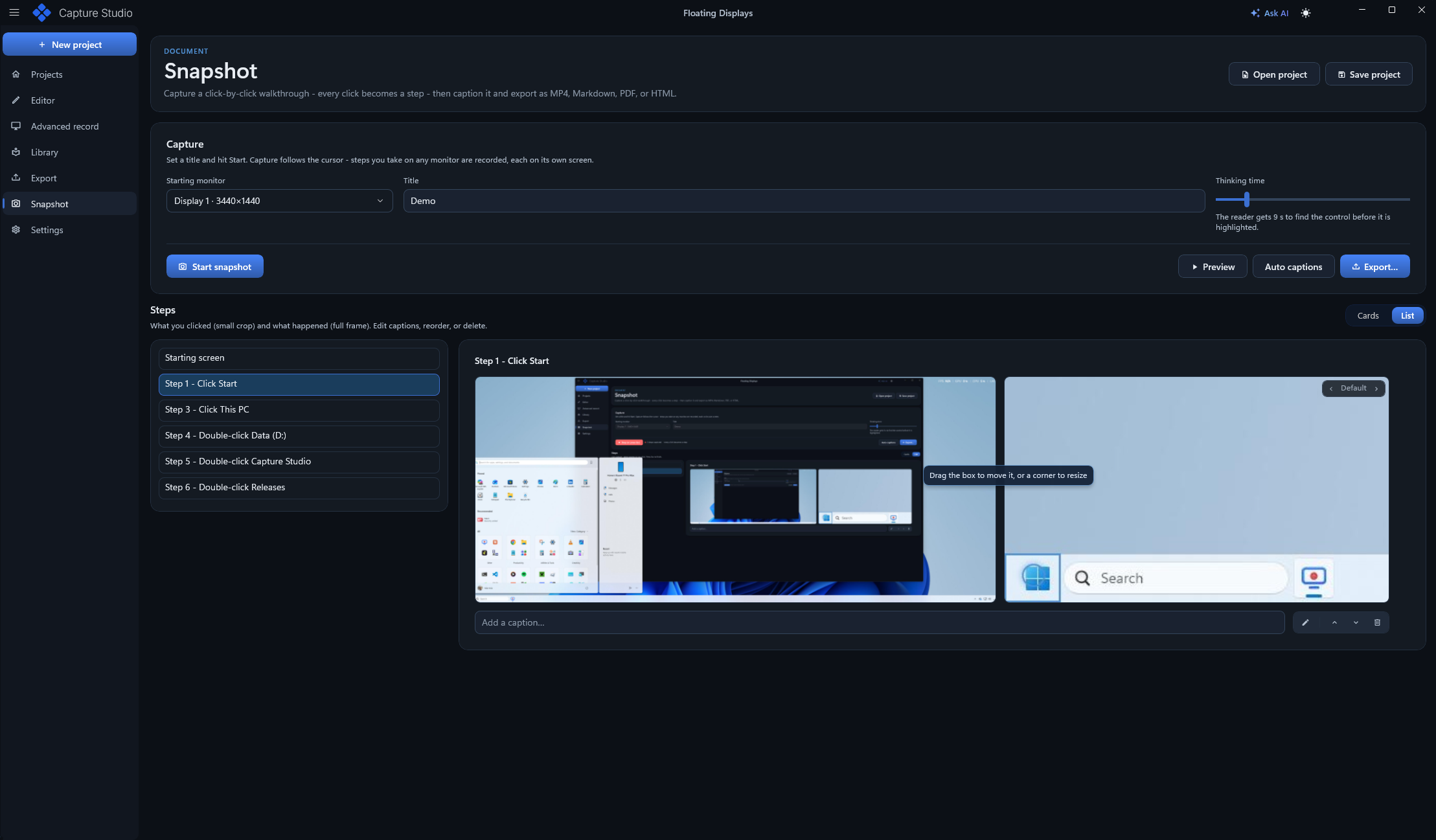
Snapshot automatically follows and snaps all steps, all written text, generates proper text and lets you export to Markdown, PDF, HTML, PowerPoint Show
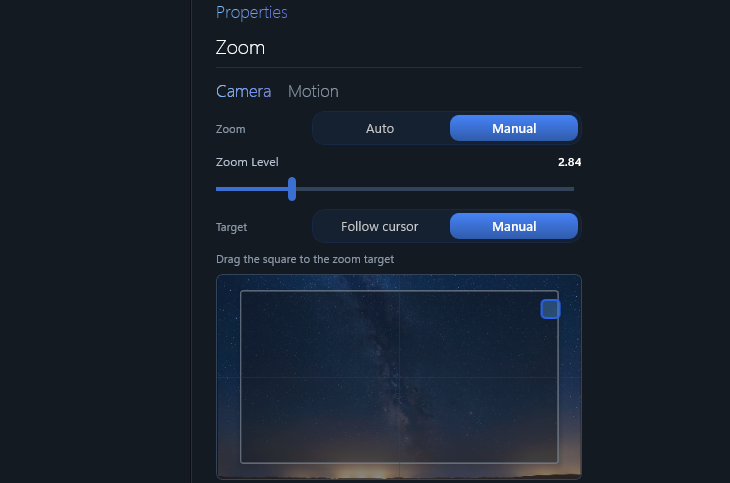
Automatic zoom-ins keep the viewer on the action
Also has manual keyframe zoom when you need it.
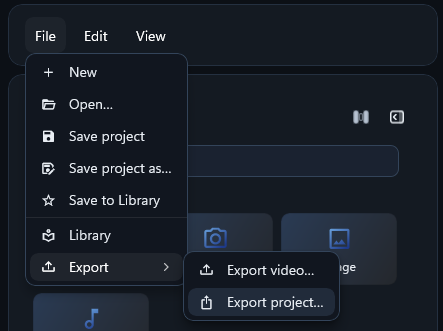
Bundle a project with all its media to move or archive it.
Walk colleagues through a report step by step, with auto zoom on every cell that matters. and sharing to the team
Trim, zoom and add effects on the timeline - the live preview shows exactly what you'll export.
Annotate and emphasize without leaving the editor.
Show the keys you press on screen - perfect for tutorials and shortcuts.
Polished, smoothed pointer motion with click ripples that guide the eye.
Drop your recording onto clean backgrounds and gradients for a designed look.
Studio Avatar works with 2 of the standard Female voices, and most Premium female voices,
More avatars are coming at a later time
*AI Avatar is a small neural model trained on audio and lip movements, It is made to work on most consumer hardware
On-device speech-to-text turns your narration into styled captions.
*Small neural model, with auto detection of language into captions
85 Neural Voices in 22 Languages
*Clone Your Own Voice by recording about 10 seconds once,
then narrate everything in your own voice.
Put any recording in a floating window with rounded corners, a soft shadow and a slide-in over a background, to give it a polished look.
Strip fan hum, keyboard clatter, and room tone out of your audio.
Using Android Developer Mode on your phone you can Mirror and record your phone alongside your computer.
Alignment guides show the canvas centre and every object's edges, and light up the moment things line up.
Hide passwords, faces, or anything sensitive with a blur region.
Keyframed and can autotrack on moving windows
Record your whole screen, a single window, or any region you draw.
Buttery-smooth capture for fast motion and high-refresh displays.
*Depending on Hardware capability and disk write speed
60Hz monitor can do 60FPS
A real multi-track editor where every effect previews in real time.
Snapshot automatically follows and snaps all steps, all written text, generates proper text and lets you export to Markdown, PDF, HTML, PowerPoint Show
Automatic zoom-ins keep the viewer on the action
Also has manual keyframe zoom when you need it.
Bundle a project with all its media to move or archive it.
| Minimum | Recommended | |
|---|---|---|
| GPU | RTX 2070 | RTX2080 |
| RAM | 16GB | 16GB |
| Minimum | Recommended | |
|---|---|---|
| GPU | RTX 2060 | RTX2070 |
| RAM | 8GB | 16GB |
Extend the licence you already own. Same licence key - add-ons activate the next time the app checks in.
| Minimum | Recommended | |
|---|---|---|
| GPU | RTX 2070 | RTX2080 |
| RAM | 16GB | 16GB |
| Minimum | Recommended | |
|---|---|---|
| GPU | RTX 2060 | RTX2070 |
| RAM | 8GB | 16GB |
| Minimum | Recommended | |
|---|---|---|
| OS | Windows 10 64-bit | Windows 11 64-bit |
| CPU | 4 cores, 2.5 GHz | 8 cores, 3.5 GHz |
| RAM | 8 GB | 16 GB |
| GPU | DirectX 11 | NVIDIA RTX 2060 |
| Disk | 6 GB SSD | 10 GB NVMe SSD |